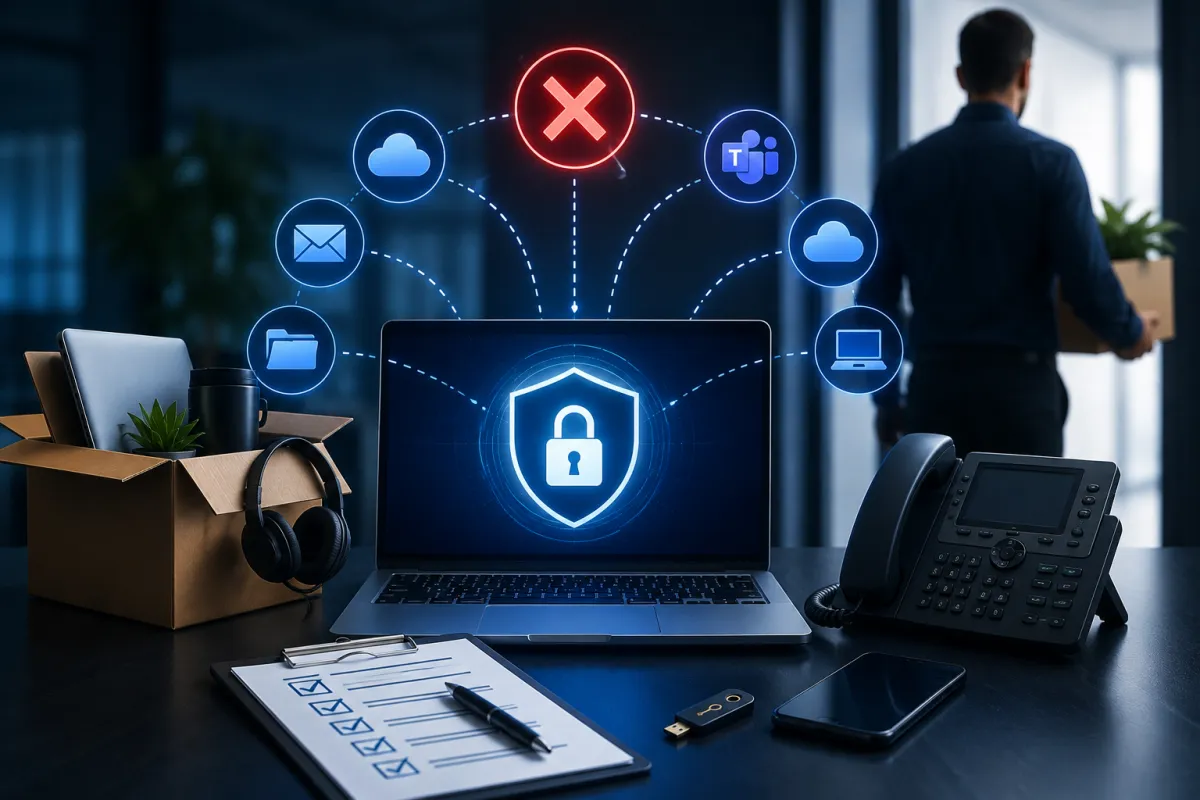
Why Employee Offboarding Is One of Your Biggest Cybersecurity Risks
Employee departures are a normal part of running any business.
People retire, accept new opportunities, relocate, change careers, or move into different industries. Some departures are planned months in advance, while others happen unexpectedly. Regardless of the circumstances, every employee transition creates a series of operational tasks that need to be completed. Human resources prepares documentation, managers begin recruiting replacements, payroll processes final compensation, and departments work to redistribute responsibilities.
In the middle of all these activities, one critical area is often overlooked.
Technology.
For many organizations, employees no longer work from a single office computer using only one business application. Today’s workforce has access to Microsoft 365, email, cloud storage, collaboration platforms, customer relationship management systems, financial software, project management tools, mobile devices, virtual private networks, multi-factor authentication applications, and countless other digital services that keep the business running every day.
Each of those systems represents an access point into the organization.
When an employee leaves, every one of those access points needs to be reviewed, updated, or removed.
Unfortunately, many businesses assume this happens automatically.
It doesn’t.
User accounts often remain active for days, weeks, or even months after an employee has left the organization. Former employees may still have access to shared files, customer information, internal communications, and cloud applications long after their final day of work. In many cases, leadership doesn’t realize those accounts still exist until a cybersecurity assessment or compliance review uncovers them.
Most former employees have no intention of harming the business.
The cybersecurity risk comes from the accounts themselves.
If those accounts remain active, they become additional entry points that attackers may exploit. They create unnecessary exposure, complicate compliance efforts, and reduce visibility into who actually has access to sensitive business information.
For businesses across Tampa Bay, employee offboarding is no longer simply an HR process.
It’s an essential component of cybersecurity.
Why Modern Employee Offboarding Has Become More Complicated
Ten years ago, offboarding usually involved collecting office keys, disabling a desktop computer, forwarding an email account, and updating a few internal records.
Today’s workplace looks very different.
Employees often work from multiple locations using company laptops, personal smartphones, cloud-based applications, Microsoft Teams, OneDrive, SharePoint, Zoom, CRM platforms, HR systems, accounting software, password managers, VPN connections, and collaboration tools that extend far beyond the traditional office network.
Some employees also use industry-specific platforms unique to their roles.
A salesperson may access CRM software, marketing automation tools, proposal platforms, and customer databases.
A finance employee may have access to payroll systems, accounting software, banking portals, and confidential financial reports.
A project manager may use scheduling software, client portals, document management systems, and collaboration platforms shared with external vendors.
Each role creates a unique technology footprint.
The challenge isn’t simply disabling one email account.
It’s identifying every system the employee accessed and ensuring those permissions are handled appropriately.
Businesses often underestimate how many applications employees accumulate over several years.
As departments adopt new software and workflows evolve, users receive access to additional systems while older permissions are rarely removed. By the time an employee leaves, they may have access to dozens of applications spread across multiple cloud platforms.
Without a structured offboarding process, it’s surprisingly easy for one or more of those accounts to remain active indefinitely.
Former Employee Accounts Create Risks Even When Nobody Notices
One of the biggest misconceptions surrounding employee offboarding is that inactive accounts don’t matter because nobody is using them anymore.
Unfortunately, inactive accounts often create exactly the kind of opportunity cybercriminals look for.
Every active user account represents a potential entry point into the business.
If credentials have been exposed through a previous data breach, reused passwords, phishing attacks, or compromised personal accounts, attackers may eventually discover that those credentials still provide access to company systems.
Because the account belongs to someone who no longer works for the organization, suspicious activity may go unnoticed for much longer than it would with an active employee.
Even if the account is never compromised, unnecessary access still creates operational challenges.
Former employees may continue receiving confidential emails.
Shared Microsoft Teams conversations may remain visible.
Files stored in SharePoint or OneDrive may still be accessible.
Customer records, financial information, internal documentation, and business communications could all remain available long after they should have been removed.
For organizations operating in regulated industries, these situations may also create compliance concerns.
Many regulatory frameworks require organizations to demonstrate that access to sensitive information is limited to authorized personnel.
Inactive accounts directly conflict with that principle.
The longer those accounts remain active, the greater the organization’s exposure becomes.
Business Data Doesn’t Always Leave With the Employee
One aspect of offboarding that businesses frequently overlook is ownership of information.
Employees don’t simply access business systems.
They create valuable business assets every day.
Customer emails.
Sales proposals.
Project documentation.
Contracts.
Financial reports.
Training materials.
Presentations.
Internal knowledge.
Relationships with clients and vendors.
Much of this information exists inside the employee’s Microsoft 365 account, Teams conversations, OneDrive storage, email folders, or department-specific applications.
If offboarding focuses only on disabling access without preserving business information, organizations may unintentionally lose valuable operational knowledge.
For example, important customer conversations may remain buried inside an email mailbox that nobody else can access.
Project documentation may exist only within an employee’s OneDrive account.
Meeting notes stored inside Microsoft Teams may become difficult to locate if ownership isn’t transferred properly.
Professional offboarding involves more than protecting the business from unauthorized access.
It also ensures that important business information remains accessible to the organization after the employee has left.
Knowledge transfer, document ownership, mailbox management, shared drive organization, and account archiving all play important roles in maintaining operational continuity.
Businesses that plan these transitions carefully avoid both security risks and unnecessary disruptions to day-to-day operations.
A Secure Offboarding Process Requires More Than Disabling an Email Account
Many businesses believe the offboarding process is complete once an employee’s email account has been disabled.
In reality, that is only one step in a much larger process.
Modern employees interact with dozens of business systems throughout the course of a normal workday. Their identity is connected to Microsoft 365, Microsoft Teams, SharePoint, OneDrive, customer relationship management platforms, accounting software, HR applications, password managers, VPN services, cloud storage platforms, collaboration tools, business phones, and sometimes even third-party vendor portals.
Each of these systems needs to be reviewed individually.
User access should be removed or reassigned where appropriate. Multi-factor authentication devices should be revoked. Business-owned laptops, mobile phones, tablets, security keys, and access cards should be collected. Shared passwords that the employee knew should be updated, particularly if they were used for administrative accounts or critical business systems.
Organizations should also verify that automatic email forwarding rules, delegated mailbox permissions, and calendar access have been reviewed. These settings are easy to overlook, yet they can continue exposing sensitive business information long after an employee has left.
Cloud applications deserve special attention as well.
Many businesses adopt new software over time without maintaining a centralized record of who has access to each platform. During offboarding, organizations often discover applications that were never included in their standard procedures simply because they were implemented years after the original checklist was created.
A structured offboarding process eliminates these blind spots by ensuring every system follows the same consistent review process regardless of the employee’s role.
HR and IT Need to Work Together—Not Independently
One reason offboarding sometimes fails is that different departments focus on different priorities.
Human Resources manages employment documentation, final payroll, benefits, company policies, and communication with the departing employee. IT focuses on technology, access management, security, and business continuity.
Both responsibilities are essential.
Problems arise when they operate separately.
If HR notifies IT several days after an employee’s departure, accounts may remain active longer than intended. If IT disables access before HR has completed important conversations, operational challenges may occur. Without clear coordination, critical steps can easily be missed.
The most effective organizations treat offboarding as a shared business process rather than an isolated departmental task.
A standardized workflow ensures everyone knows their responsibilities and understands when each action should occur. HR informs IT of upcoming departures, managers identify business information that needs to be transferred, and IT prepares account changes so they can be completed at the appropriate time.
Communication is especially important for departures involving employees with elevated privileges or administrative access.
System administrators, finance personnel, executives, and department managers often have broader access to business systems than other employees. Their departures require additional planning because they may own shared resources, administrative accounts, software licenses, or critical business processes.
When departments work together, offboarding becomes predictable instead of reactive.
Common Offboarding Mistakes Businesses Continue to Make
Most offboarding failures don’t happen because organizations ignore cybersecurity.
They happen because important details are overlooked during busy transitions.
One of the most common mistakes is assuming someone else has already handled account removal. HR believes IT has disabled access. IT assumes HR hasn’t finalized the employee’s departure. Managers assume everything has already been completed because the employee no longer works for the organization.
Without clear ownership, responsibility becomes unclear.
Another frequent issue involves shared accounts.
Many businesses still maintain generic logins for printers, shared mailboxes, vendor portals, or specialized business applications. If a departing employee knew those credentials, simply disabling their personal account doesn’t eliminate access. Shared passwords should always be reviewed and updated as part of the offboarding process.
Businesses also overlook personally owned devices used for work.
Hybrid and remote work have increased the number of employees accessing company systems from personal laptops, smartphones, and tablets. Even if company-owned equipment has been returned, organizations should verify that business applications have been removed from personal devices and that corporate data is no longer synchronized through mobile apps or cloud storage services.
Another mistake involves software licensing.
Former employees often continue occupying Microsoft 365 licenses and subscriptions long after leaving the organization. Beyond unnecessary costs, unused accounts make identity management more complicated and increase administrative overhead.
These aren’t complicated problems.
They’re simply problems that require consistent processes instead of relying on memory.
Why Managed IT Providers Simplify Secure Offboarding
Employee departures occur regularly in every organization, which means offboarding should never depend on improvisation.
A managed IT provider helps businesses standardize the process by creating repeatable procedures that are followed every time an employee leaves the company.
Instead of manually remembering which systems require attention, IT teams work from documented checklists that cover user accounts, Microsoft 365, cloud applications, endpoint devices, multi-factor authentication, business phones, VPN access, administrative credentials, licensing, email forwarding, shared resources, and data preservation.
This consistency significantly reduces the likelihood of missed accounts or forgotten permissions.
Managed IT providers also maintain centralized documentation of business systems, making it much easier to identify where employees had access before they leave. Rather than searching through dozens of applications individually, organizations have a complete inventory that simplifies account reviews and improves security.
Beyond protecting the business, professional offboarding also improves operational continuity.
Business emails can be preserved appropriately. Shared files remain accessible to the correct teams. Customer relationships continue without interruption. New employees inherit organized systems instead of spending weeks trying to locate important information left behind by previous staff members.
The process becomes smoother for everyone involved.
The Bottom Line
Employee offboarding is often viewed as an administrative task, but in today’s digital workplace, it has become one of the most important components of organizational cybersecurity.
Every departing employee leaves behind a digital footprint that extends across email, cloud applications, collaboration platforms, business devices, shared documents, and countless other systems. Without a structured process for reviewing and removing that access, businesses increase their exposure to cybersecurity risks, operational disruptions, unnecessary software costs, and compliance challenges.
Fortunately, these risks are entirely manageable.
Organizations that develop consistent offboarding procedures, coordinate closely between HR and IT, maintain accurate documentation, and regularly review user access create a much stronger security posture while protecting valuable business information.
Offboarding shouldn’t simply mark the end of an employee’s relationship with the company.
It should ensure the business remains secure, organized, and prepared for the employee who joins next.
Why Tampa Bay Businesses Choose Technology Style
Technology Style helps businesses throughout Tampa, Clearwater, St. Petersburg, and Sarasota strengthen cybersecurity by implementing secure identity management, Microsoft 365 administration, employee onboarding and offboarding processes, managed IT services, cloud security, endpoint management, and proactive technology planning.
We help organizations protect business data throughout the entire employee lifecycle—from the first day an employee joins the company to the final day they leave. By combining structured processes with proactive technology management, we reduce security risks while ensuring business operations continue without interruption.
Whether you’re improving employee offboarding procedures, strengthening Microsoft 365 security, or looking for a trusted managed IT partner, Technology Style provides the expertise and ongoing support needed to keep your business secure, productive, and ready for growth.
