How Employee-Owned Devices Are Creating Cybersecurity Risks for Tampa Bay Businesses
Ten years ago, most businesses controlled every device that touched company data.
Employees worked from company-issued desktops. Email stayed on office computers. Sensitive files rarely left the building. From a security perspective, the environment was relatively straightforward.
Today, that reality no longer exists.
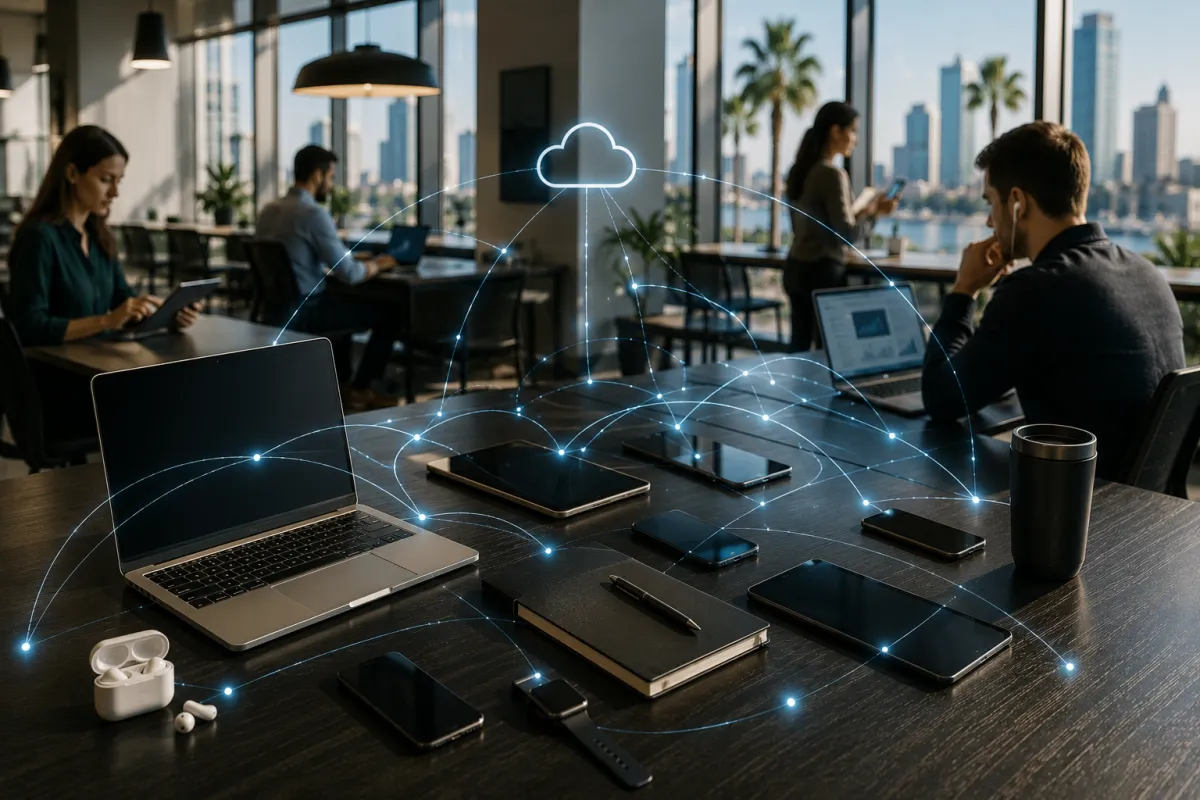
Employees check business email from personal phones. They access Microsoft 365 from home computers. They review documents on tablets while traveling. Some use personal devices because they prefer them. Others do it because it’s convenient. In many organizations, leadership may not even realize how many personal devices are currently connected to company systems.
This shift has improved flexibility and productivity, but it has also created one of the fastest-growing cybersecurity risks facing small and mid-sized businesses across Tampa Bay.
The challenge is not that employee-owned devices are inherently insecure. The challenge is that most businesses have little visibility into how those devices are configured, updated, protected, or used. When company data begins living on devices outside of direct business control, security risks multiply quickly.
Why BYOD Has Become the Default for Many Businesses
Bring Your Own Device (BYOD) policies became increasingly common during the rise of remote and hybrid work. Businesses needed to keep operations moving, and employees needed access to company resources from wherever they happened to be working.
For many organizations, allowing personal devices seemed like a practical solution.
Employees already owned smartphones, laptops, and tablets. Purchasing and managing additional hardware for every worker wasn’t always feasible. Cloud platforms such as Microsoft 365, Google Workspace, and Salesforce made it easy to access business systems from almost any device with an internet connection.
The convenience was undeniable.
The security implications, however, often received far less attention.
Many businesses now have employees accessing company data from devices they do not own, cannot monitor, and cannot control.
The Security Problems Most Businesses Never See
Cybersecurity discussions often focus on ransomware, phishing emails, and malware. While those threats remain important, personal devices introduce a different set of challenges.
Unpatched Operating Systems
One of the most common issues involves software updates.
A company-managed laptop typically receives scheduled updates and security patches. A personal device depends entirely on the owner’s habits.
Some users install updates immediately. Others postpone them for weeks or months.
Attackers actively target known vulnerabilities because they know many devices remain unpatched long after fixes become available.
A personal laptop running an outdated operating system can create a pathway into business systems without the employee realizing it.
Lack of Endpoint Protection
Most organizations invest in endpoint protection for company-owned devices.
Personal devices often have little more than basic antivirus software, and in some cases, no protection at all.
Without visibility into the device, businesses cannot verify whether:
Security software is installed
Threat protection is active
Malware is present
Risky applications have been installed
This creates blind spots that attackers increasingly exploit.
Data Stored Outside Company Systems
Many employees save files locally for convenience.
A spreadsheet gets downloaded to a personal desktop. A contract gets stored on a laptop. A customer report gets saved to a tablet.
The intention is usually harmless.
The problem is that company data now exists outside managed systems.
If the device is lost, stolen, or compromised, sensitive business information may be exposed.
Shared Devices
In many households, devices are shared.
A family computer used for remote work may also be used by children for gaming, streaming, and web browsing.
Every additional user increases risk.
Applications get installed. Security settings get modified. Unsafe websites get visited.
The business has no visibility into any of it.
Why Traditional Security Policies No Longer Work
Many businesses still operate with security policies written for a workplace that no longer exists.
The assumption was simple:
Company devices stayed inside company networks.
Modern work environments are dramatically different.
Employees now access business resources from:
Home networks
Coffee shops
Airports
Hotels
Shared workspaces
Mobile hotspots
The perimeter-based security model has effectively disappeared.
Protecting a business today requires focusing on users, devices, and access controls rather than simply protecting the office network.
This is one reason cybersecurity frameworks increasingly emphasize Zero Trust principles.
Instead of assuming every device is trustworthy, access must be continuously verified.
How Businesses Can Secure Employee-Owned Devices
Fortunately, securing a BYOD environment does not require banning personal devices altogether.
The goal is creating guardrails that reduce risk while preserving flexibility.
Require Multi-Factor Authentication
Multi-factor authentication remains one of the most effective cybersecurity controls available.
Even if a password is stolen, attackers still need access to a second verification factor.
Every cloud platform that contains business information should require MFA without exception.
This includes:
Microsoft 365
Email systems
CRM platforms
Accounting software
File storage platforms
Implement Device Compliance Policies
Modern device management platforms allow businesses to define security requirements before access is granted.
For example:
Devices must have encryption enabled
Operating systems must be up to date
Screen lock settings must be configured
Security software must be active
If the device fails these requirements, access is blocked automatically.
Separate Business Data from Personal Data
Solutions such as Microsoft Intune allow businesses to manage corporate applications without taking control of the entire personal device.
This creates a clear separation between personal and business information.
If an employee leaves the company, business data can be removed without affecting personal files, photos, or applications.
Limit Local Storage
Whenever possible, documents should remain inside secure cloud platforms rather than being downloaded and stored locally.
Microsoft OneDrive and SharePoint provide secure collaboration while maintaining visibility and control over company information.
The less data stored on personal devices, the lower the risk.
Questions Every Tampa Bay Business Should Ask
If your organization allows personal devices, consider these questions:
Do we know how many personal devices access company systems?
Can we verify those devices are secure?
Can we remove company data if a device is lost?
Are employees required to use MFA?
Do we have a documented BYOD policy?
Can we identify risky devices automatically?
Are we monitoring access activity?
If the answer to several of these questions is “no,” there may be gaps worth addressing.
Why BYOD Security Will Matter Even More in 2026
As businesses continue embracing flexible work arrangements, personal devices will become even more common.
At the same time, cyber insurance providers, regulators, and security frameworks are raising expectations around device management and access control.
Organizations that ignore BYOD security often discover the problem only after an incident occurs.
Those that establish clear policies, modern access controls, and device management practices can maintain flexibility without significantly increasing risk.
The goal is not to eliminate convenience. The goal is ensuring convenience does not come at the expense of security.
Why Tampa Bay Businesses Choose Technology Style
Technology Style has helped businesses across Tampa, Clearwater, St. Petersburg, and Sarasota navigate evolving cybersecurity challenges since 2009.
From Microsoft 365 security and device management to endpoint protection, cyber insurance readiness, and managed IT services, we help organizations build practical security programs that support how people actually work today.
Whether your team uses company-owned devices, personal devices, or a combination of both, we can help you identify security gaps and implement controls that reduce risk without creating unnecessary complexity.
Talk to Technology Style about securing your business devices and remote workforce →
